
In the digital landscape of 2026, where high-resolution 8K video files, massive gaming libraries, and endless cloud backups are the norm, the need for portable storage has never been greater. Whether you are a creative professional editing on the go or a student looking to secure your thesis, choosing the right external drive is a critical decision. A drive that fails can mean the loss of years of work, while a slow drive can bottleneck your entire workflow.
Selecting the perfect device is no longer just about picking a reputable brand. With the convergence of NVMe SSD technology and high-speed interfaces like USB4 and Thunderbolt 5, the market has become incredibly nuanced. This guide will walk you through everything you need to know to select a reliable and fast external hard drive that meets your specific needs in 2026.
Understanding the Difference: SSD vs. HDD
Before diving into technical specifications, you must decide on the underlying technology. The choice between a Solid State Drive (SSD) and a Hard Disk Drive (HDD) is the most significant factor influencing your experience.
Solid State Drives (SSDs)
SSDs have become the gold standard for performance in 2026. Because they have no moving parts, they are significantly faster, quieter, and more resistant to physical shock than traditional drives. If you are a video editor, gamer, or someone who frequently moves large files, an SSD is non-negotiable. While the price per gigabyte is higher, the speed advantage—often reaching up to 3,000–7,000 MB/s—is a massive productivity boost.
Hard Disk Drives (HDDs)
HDDs remain the kings of cost-effective, high-capacity storage. If your primary goal is to archive thousands of photos or back up your entire system at the lowest possible price, HDDs are still the superior choice. However, they are fragile; dropping a spinning-platter drive can lead to catastrophic data loss. Use these primarily for stationary backups rather than active work.
Crucial Technical Specifications for 2026
When shopping for an external drive, do not be swayed solely by marketing buzzwords. Focus on these three technical pillars to ensure you are getting a reliable product.
1. Interface and Connection Speed
The interface determines the “pipe” through which your data flows. In 2026, USB 3.2 Gen 2×2 and USB4 are the standards for high-performance external SSDs. Ensure your computer’s ports match the drive’s capabilities. If your laptop only has USB-A ports, you won’t be able to leverage the full speed of a modern USB-C NVMe drive.
2. Durability and Build Quality
Reliability is the most important trait for long-term data storage. Look for drives with an IP-rating (Ingress Protection). An IP67 rating, for instance, means the drive is dust-tight and can survive immersion in water for a limited time. If you travel frequently, look for models labeled “Rugged” or “Military-grade,” which feature rubberized shells to absorb impact.
3. Encryption and Security
Data privacy is paramount. If you are storing sensitive documents, ensure your drive comes with hardware-based AES 256-bit encryption. Software encryption can be bypassed, but hardware encryption keeps your data locked even if the drive is physically stolen.
Matching the Drive to Your Lifestyle
Not every user needs the fastest drive on the market. Identifying your specific “use case” will save you money and frustration.
For Content Creators and Editors
If you are working with 4K or 8K raw footage, you need a drive with high sustained write speeds. Look for portable SSDs that maintain speed even when the cache fills up. High-end Thunderbolt 4 or 5 drives are ideal for editing directly off the drive, allowing you to treat your external storage like an internal scratch disk.
For Gamers
Modern games are massive, often exceeding 100GB. A fast SSD will significantly reduce loading times and prevent “texture pop-in” in open-world games. Ensure the drive is compatible with your console (e.g., PS5 or Xbox Series X/S) if that is your primary gaming platform.
For General Backup and Archiving
If you are simply looking for a “set it and forget it” solution for Time Machine or Windows File History, speed is secondary to reliability and capacity. A large 8TB or 16TB desktop HDD is the most cost-effective way to ensure you have a copy of your precious family memories and documents.
Reliability: How to Avoid Data Loss
Even the most expensive drive can fail. The secret to 100% data reliability isn’t just buying the “best” drive; it’s following the 3-2-1 backup rule.
- Three copies of your data: Keep your original file and at least two backups.
- Two different media types: Store your data on at least two different types of storage, such as an internal drive and an external SSD.
- One off-site copy: Keep one backup in a different physical location, such as a cloud storage service or a drive kept at a family member’s house.
Pro-tip: Periodically check the “S.M.A.R.T.” status of your drives using free diagnostic software. This allows you to see if a drive is showing signs of impending failure before you actually lose any data.
Evaluating Brand Reputation and Warranty
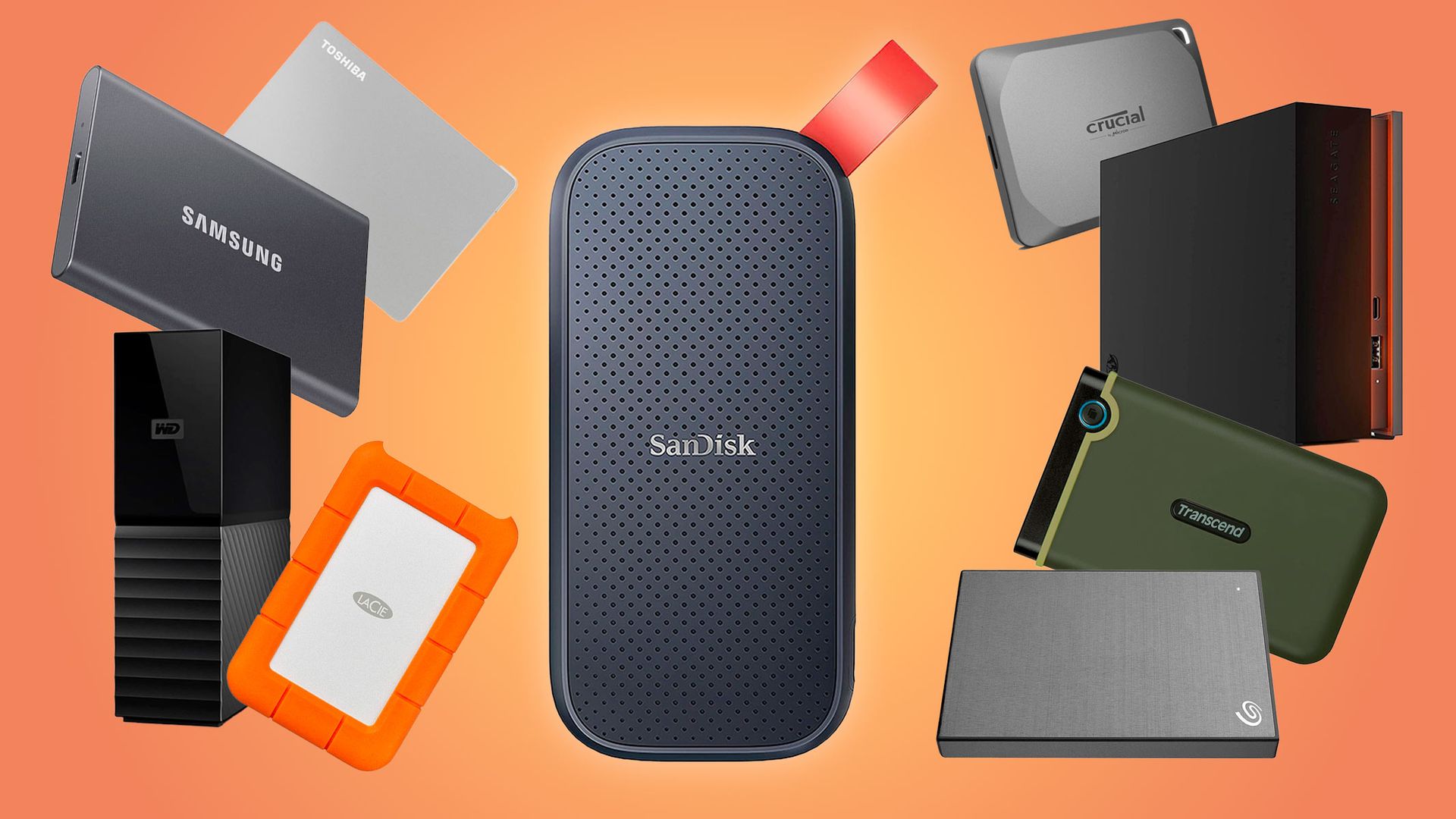
In 2026, the brand you choose matters as much as the specs. Major manufacturers like Samsung, Western Digital, Seagate, and SanDisk have established ecosystems that include excellent software for drive management and security.
Warranty: Always look for a drive with at least a 3-year limited warranty. Premium SSDs often come with 5-year warranties, which is a strong indicator of the manufacturer’s confidence in the product’s longevity.
Customer Support: Check recent reviews to see how the company handles RMA (Return Merchandise Authorization) requests. You want a company that makes it easy to replace a faulty unit.
The Future of External Storage: What to Expect
As we progress through 2026, we are seeing a shift toward modular storage solutions. Some newer external drives allow users to swap out the internal NVMe module, effectively extending the lifespan of the enclosure. Furthermore, the integration of AI-driven file organization software within drive management suites is making it easier than ever to find specific files among terabytes of data.
When purchasing, always prioritize future-proofing. While you might not need the top-tier speeds of a USB4 drive today, your next laptop or computer will likely support it. Investing in slightly better hardware today ensures your drive remains relevant for the next four to five years.
Conclusion: Making the Final Choice
Selecting a reliable and fast external hard drive in 2026 involves balancing your performance needs against your budget and storage requirements. If you value speed and durability above all else, an NVMe SSD is the clear winner. If you are focused on massive capacity for archiving, a high-quality desktop HDD remains the most practical choice.
Remember to prioritize security, verify the interface compatibility with your hardware, and always maintain a secondary backup strategy. By following these guidelines, you can ensure that your data remains safe, accessible, and ready for your next big project. Invest wisely, and your external drive will serve as a faithful companion to your digital life for years to come.