
If you spend more than six hours a day in front of a computer, your wrists and forearms are likely bearing the brunt of your productivity. As we move through 2026, the rise of remote work and extended digital workflows has made repetitive stress injuries (RSIs) and other computer-related injuries more common than ever. Choosing the right input device is no longer just about aesthetics; it is a vital investment in your long-term physical health.
The goal of an ergonomic keyboard is simple: to align your hands, wrists, and shoulders in a neutral, natural position. By reducing the tension caused by unnatural angles, these devices help alleviate chronic pain, provide significant wrist pain relief, and prevent the onset of conditions like carpal tunnel syndrome and tendonitis. These ergonomic keyboard benefits are crucial for long-term health. In this guide, we will break down exactly how to select the best ergonomic keyboard for your unique setup in 2026. This comprehensive guide will show you How to select the best ergonomic keyboard for preventing strain.
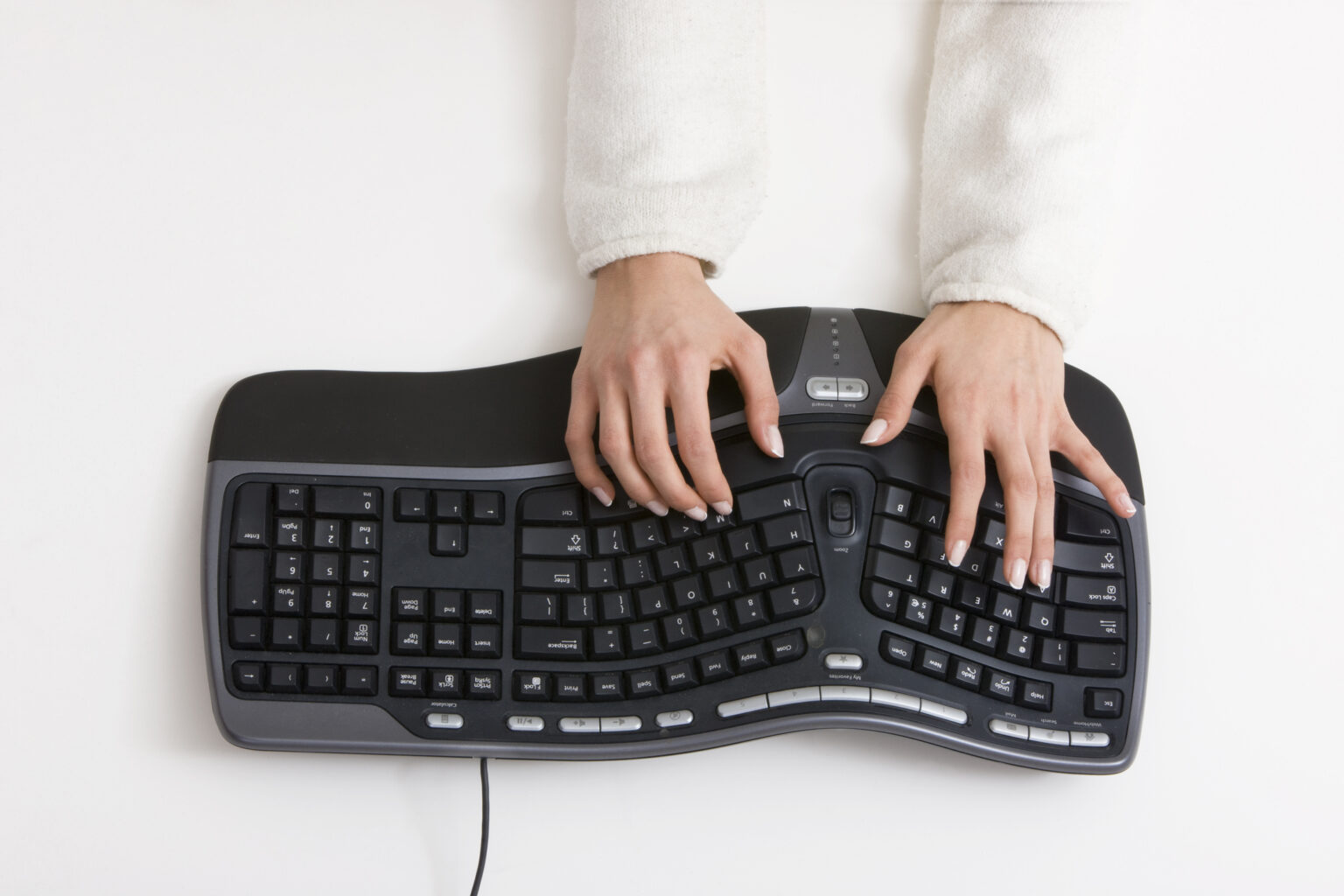
Understanding Ergonomic Design: Why Standard Keyboards Fail
Most standard “straight” keyboards force your hands into pronation—a position where your palms face down, causing your wrists to twist inward toward the midline of your body. Over thousands of keystrokes, this creates significant pressure on the median nerve.
Ergonomic keyboards solve this by introducing physical geometry that respects the human anatomy. Understanding these design principles is crucial when you’re learning How to select the best ergonomic keyboard for preventing strain. Key features to look for in an adjustable ergonomic keyboard include:
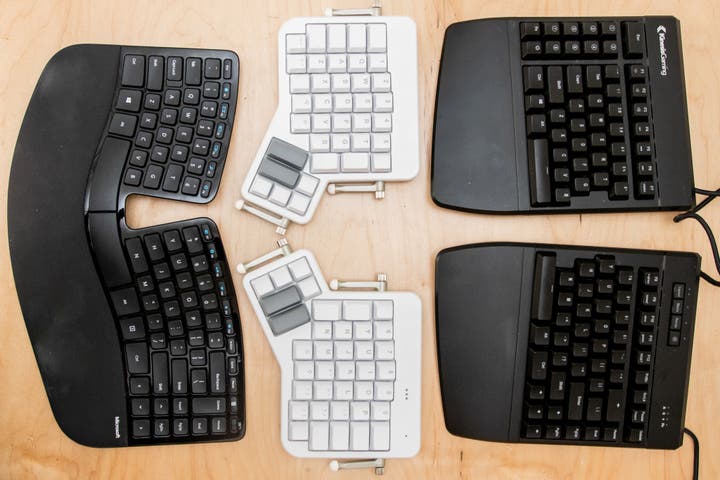
Split Layouts: These divide the keys into two halves, allowing you to position your hands at shoulder-width, which opens up the chest and reduces shoulder strain.
Tentability: This allows you to angle the keyboard halves upward, keeping your wrists in a “handshake” position, which is significantly more comfortable for long-term use.
Curvature and Dish: Keyboards that feature a concave “well” or a gentle curve help keep your fingers closer to the keys, minimizing the distance they need to travel.
Key Factors to Consider When Choosing Your Model
Selecting the right tool for your desk requires an honest assessment of your typing habits and physical needs. This assessment is vital for understanding How to select the best ergonomic keyboard for preventing strain. Not every “ergonomic” keyboard is right for every user.
1. The Split vs. Fixed Design
If you have wide shoulders, a fixed ergonomic keyboard (where the keys are curved but the board is one piece) might still force your elbows into an awkward position. A fully split keyboard is the gold standard, as it allows you to place the halves exactly where your shoulders naturally rest. This design often allows for a more compact ergonomic keyboard footprint when the halves are brought closer, or a wider one for broader individuals. Considering the split vs. fixed design is a primary step in understanding How to select the best ergonomic keyboard for preventing strain, particularly for individuals with wider shoulders.
2. Mechanical vs. Membrane Switches
In 2026, the preference for mechanical switches has reached an all-time high. Mechanical keyboards offer tactile feedback, meaning you don’t have to “bottom out” (press the key all the way down) to register a character. This reduces the impact force on your fingertips, which is a major contributor to finger joint fatigue and hand fatigue. The specific key travel and actuation force of switches also play a significant role in overall comfort and reducing strain. The choice between mechanical and membrane switches is another critical aspect when determining How to select the best ergonomic keyboard for preventing strain.
3. Programmability and Custom Layers
For power users, the ability to remap keys is a game-changer. High-end ergonomic keyboards often come with QMK or ZMK firmware, allowing you to move heavy-use keys (like Enter, Backspace, or Shift) to your thumbs. Since thumbs are the strongest digits, utilizing them for common tasks is a proven way to reduce strain on the weaker fingers. For power users, understanding programmability and custom layers is key to knowing How to select the best ergonomic keyboard for preventing strain that truly adapts to their workflow.
The Importance of Wrist Support and Palm Rests
One of the most common mistakes users make is resting their wrists on a hard desk surface while typing. This compresses the soft tissue in the wrist, which can lead to inflammation.
When searching for the best ergonomic keyboard, a key part of understanding How to select the best ergonomic keyboard for preventing strain, ensure it includes or is compatible with a high-quality cushioned palm rest. The goal is to rest the heel of your palm on the cushion, not the wrist itself. This keeps the carpal tunnel area free from pressure, allowing for better circulation and nerve health during your workday.
Navigating the Learning Curve
It is essential to be aware that switching to an ergonomic keyboard involves a learning curve. This is an important factor when you’re figuring out How to select the best ergonomic keyboard for preventing strain.
Take it slow: Don’t expect to be at full speed on day one. Give yourself at least two weeks of consistent use to adjust.
Use touch-typing software: Many ergonomic keyboards have slightly different key placements. Using a typing tutor can help you map the keys to your brain’s muscle memory faster.
Prioritize comfort over speed: In the first week, focus on keeping your shoulders relaxed and your wrists neutral. Maintaining proper typing posture is more important than speed initially. Your speed will return naturally as your comfort level increases.
Statistics and Professional Recommendations
Recent studies in 2026 indicate that professionals who transition to ergonomic setups report a 30% reduction in musculoskeletal discomfort within the first month. Furthermore, data shows that keyboards with a tenting angle of 10 to 15 degrees are the most effective at reducing forearm muscle activity compared to flat, non-ergonomic boards.
Experts from leading tech publications consistently emphasize that the “best” keyboard, and therefore the answer to How to select the best ergonomic keyboard for preventing strain, is the one that fits your specific desk space and typing style. This includes considering options like a wireless ergonomic keyboard for a clutter-free setup. Whether you are a programmer needing deep customization or a writer needing a soft, silent typing experience, there is a model tailored to your specific biomechanics.
Maintenance and Long-Term Care for Your Keyboard
Once you have invested in a high-quality ergonomic keyboard, a decision made easier by understanding How to select the best ergonomic keyboard for preventing strain, keep it in peak condition to ensure it continues to support your health. Dust and debris can make keys feel “sticky” or increase the force required to press them, which negates the benefits of a smooth switch.
- Cleaning: Use a compressed air canister once a month to clear out debris from between the switches.
- Firmware Updates: Many modern ergonomic keyboards receive software updates that improve connectivity, battery life, and key mapping efficiency. Check your manufacturer’s app periodically.
- Posture Checks: Even with the best keyboard, ergonomics is about the whole body. Periodically check your chair height, monitor distance, and desk level. Your elbows should be at a 90-degree angle, and your monitor should be at eye level to prevent “tech neck.” This holistic approach is key to a complete ergonomic workstation setup.
Integrating Your Keyboard into an Ergonomic Workspace
A keyboard is only one piece of the puzzle. To truly prevent strain, especially after learning How to select the best ergonomic keyboard for preventing strain, look at your desk holistically. Consider the following additions to your 2026 workspace:
Vertical Mouse: A vertical mouse works in tandem with an ergonomic keyboard to keep your forearm in a neutral, un-twisted state.
Monitor Arms: These allow you to adjust your screen height, preventing you from hunching forward, which often happens when you are trying to see a screen that is too low.
- Sit-Stand Desk: Alternating between sitting and standing is one of the most effective ways to prevent the stagnation of blood flow and muscle tension throughout the day.
The Future of Input: What to Expect Beyond 2026
As we look toward the future, we are seeing the emergence of AI-integrated keyboards that monitor your typing force and posture, providing haptic feedback if you begin to tense up. Some experimental designs even feature split-columnar layouts that follow the natural curve of your fingers, further reducing the reach required for every keystroke. Staying informed about these advancements will help you make even better decisions for your health in the coming years, further refining your approach to How to select the best ergonomic keyboard for preventing strain.
Conclusion: Investing in Your Future Self
Selecting the best ergonomic keyboard for preventing strain is a proactive step toward career longevity. This guide has aimed to show you How to select the best ergonomic keyboard for preventing strain effectively.
In 2026, the options are more diverse and accessible than ever before. Whether you are a casual browser or a professional coder, there is a device designed to make your typing experience healthier and more enjoyable. Remember that the best ergonomic keyboard is not just a peripheral; it is a vital tool for your physical well-being. By applying the insights on How to select the best ergonomic keyboard for preventing strain, you can start your transition today, listen to your body, and enjoy the relief of a truly ergonomic workspace.