
Shopping for a new laptop in 2026 can feel like navigating a maze of confusing acronyms, shifting hardware standards, and endless model variations. Whether you are a remote professional, a student, or someone who just needs a reliable machine for daily browsing, finding the perfect balance between performance and price is essential.
In this comprehensive guide, we will cut through the technical jargon and provide you with a clear, actionable roadmap to selecting the best laptop for your unique lifestyle.
Identify Your Primary Use Case
Before looking at specs, you must define your “laptop personality.” Are you a power user running complex data models, or a casual user focused on streaming, emails, and web research?
- Casual Users: Look for portability and battery life over raw processing power.
- Professional/Work Users: Prioritize a high-quality keyboard, a sharp display for long hours, and enough RAM to handle multitasking without lag.
- Creative Professionals: Focus on color-accurate screens and dedicated graphics processing units (GPUs).
Decoding the Hardware: What Actually Matters in 2026
Modern laptops are more capable than ever, but not all components are created equal. Understanding the “Big Three”—Processor, RAM, and Storage—will save you from overpaying for features you don’t need.
The Processor (CPU)
By 2026, the baseline for a smooth experience is an Intel Core i5 or AMD Ryzen 5 processor. If you are doing heavy video editing or complex multitasking, step up to an i7/Ryzen 7 or the latest generation of ARM-based chips, which now offer industry-leading battery efficiency.
Memory (RAM)
Never settle for less than 16GB of RAM in 2026. While 8GB might have been acceptable in the past, modern web browsers and productivity suites are memory-hungry. Having 16GB ensures your system stays snappy when you have 20+ tabs open alongside your office software.
Storage (SSD)
Avoid mechanical hard drives entirely. A Solid State Drive (SSD) is mandatory for fast boot times and instant app loading. Aim for at least 512GB of NVMe SSD storage to ensure you don’t run out of space for your documents, photos, and local files.
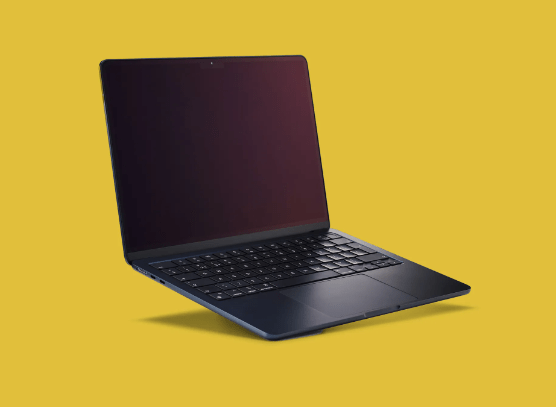
The Display and Ergonomics: The User Experience
You will spend hours staring at your screen and typing on your keyboard. Do not overlook these physical attributes when learning how to choose the right laptop for work.
- Screen Quality: Aim for at least a Full HD (1920×1080) resolution. If you work with text all day, look for an IPS panel with anti-glare coating to reduce eye strain.
- Keyboard and Trackpad: If possible, test the keyboard in person. You want keys with decent travel distance and a trackpad that feels responsive and supports multi-touch gestures.
- Portability: If you commute, a 13-inch to 14-inch laptop is the sweet spot. It provides enough screen real estate while remaining light enough to carry in a backpack all day.
Connectivity and Future-Proofing
In 2026, the ports on your laptop are just as important as the internals. Ensure your chosen device has at least one Thunderbolt 4 or USB4 port, which allows for high-speed data transfer and docking station support.
Additionally, check for Wi-Fi 7 compatibility. This standard is becoming the new baseline for stable, high-speed wireless internet, ensuring your laptop stays relevant for years to come.
<img alt="How to Choose the Right Laptop for Work – StartUp Mindset" src="https://startupmindset.com/wp-content/uploads/2022/09/Depositphotos73918051L-e1663253195631.jpg” style=”max-width:100%; height:auto; border-radius:8px; margin: 1rem 0;” />
Common Pitfalls to Avoid
Many shoppers fall into the trap of focusing solely on the brand name or the “cool factor.” Here are a few mistakes to avoid:
- Ignoring Thermal Management: A powerful laptop that overheats will throttle its performance, making it useless for sustained work. Read reviews regarding fan noise and temperature.
- Overlooking Battery Life: Check third-party benchmarks rather than manufacturer claims. Aim for a laptop that offers at least 8-10 hours of real-world usage.
- Buying Proprietary Tech: Avoid laptops that require expensive, proprietary dongles for basic connectivity. Stick to industry standards like USB-C for charging and data.
Final Thoughts: Making the Purchase
When you are ready to buy, remember that your laptop is an investment in your productivity. Don’t be afraid to spend an extra $100–$200 for a better screen or more RAM; these upgrades extend the useful lifespan of your device by years.
By focusing on your specific work needs, prioritizing modern components like 16GB of RAM and an SSD, and verifying the build quality, you will be well-equipped to choose a machine that serves you perfectly throughout 2026 and beyond.